The Solution
Legend
I do not see an option for deleteIf you go yo your main listing:
Invalid Link Removed
you can select them on the right side, then a bar will show up at the bottom where you can delete.

I do not see an option for deleteIf you go yo your main listing:
Invalid Link Removed
you can select them on the right side, then a bar will show up at the bottom where you can delete.

I do not see an option for delete

ThisSelect "Leave Conversation"....my bad, its not Delete.
Oh ok, so its not labeled "Delete" anyway you could modify that? It may confuse memebersThis
Trying to keep everything as stock as possible.Oh ok, so its not labeled "Delete" anyway you could modify that? It may confuse memebers
No worry! Thanks for clarifying. We appreciate itTrying to keep everything as stock as possible.
Since you created a thread, I assume you found it.Tried to make a thread in the primeval Labs section and there was no button to start a new thread
i Tried to make a new thread but still can’tSince you created a thread, I assume you found it.
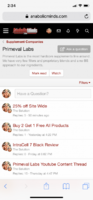
Top Right...Ask A Question.
Or you can actually just start typing in the bar that has "Have A Question?".
There is actually two ways you can start a thread in that screenshot.
Oh... so the terminology of stating a new thread is now asking a question?
Seems confusing since thread titles are not always questions
Thanks again. Was gonna write that but still can not edit posts
If someone starts a sponsored log is that considered asking a question?I don't find it confusing at all.

Im getting memory error when trying to post new thread
If someone starts a sponsored log is that considered asking a question?
If a company is making a thread promoting a product is that asking a question?
If someone makes a generic thread on training tips, nutrition tips, current research , and new supplements news are these asking questions?
Just a few examples off the top of my head. Not all thread titles are questions, so it may be misleading depending on how the user looks at it.
Sometimes reps or posters are simply posting and not asking a question per say
But none the less if that’s what the new updates bring we now know! So thank you
Even on the main page it says “Post Thread”Invalid Link Removed
No problem.. Just glad to know that is how it will be moving forward. I am sure other members will ask, then I can quote your reply above.Certain forums have it that I choose and its staying. If people are that confused about a button, then they have bigger issues I can't fix.
Strange, I see mine just fine and other users see theirs.All of my old ones were deleted
Plus I tried using the search feature this morning and typed in Pre-Workout and clicked USA an Supplement forum and nothing came up?
I only have one from my last log all the others are gone.Strange, I see mine just fine and other users see theirs.
All of my old ones were deleted
Plus I tried using the search feature this morning and typed in Pre-Workout and clicked USA an Supplement forum and nothing came up?
Checking. And we know emails aren't going out either for old subscriptionsI only have one from my last log all the others are gone.
Yup i only have my last lithos log. all others are gone. Can't get them.Invalid Link RemovedChecking. And we know emails aren't going out either for old subscriptions
That is what I didYou are clicking "Whats New". Click the dropdown arrow next to Whats New and click Watched Threads
Invalid Link Removed
That is what I did
Whats New
Watched Threads
Filter
And that is what popped up in my screen shot
How else am i going to select Watched threads besides the filter under whats new? That is where I found itI know, but you are doing it wrong.
That is what I did
Whats New
Watched Threads
Filter
And that is what popped up in my screen shot
See how it says "WATCHED" in pink above the thread on the filter line?
Yup i only have my last lithos log. all others are gone. Can't get them.
I had about 25-30 subscriptions
@Admin am i doing this wrong?
There is no drop down arrow on a computer
I did thatAre you trying not to listen?
I am showing you from 1) A computer and 2) MobileYou literally just showed me a picture of you clicking the dropdown and its showing Watched Threads.
I am showing you from 1) A computer and 2) Mobile
Still not showing my previously subscribed threads
Like I said i will just use the search for previous topics and logs.
Because that is where you find Watched threads. Its under "Filter"
Bob, no it's not. You're not listening to what he's been telling and showing you. From your own screen shot you sent, you're not on a computer - you're on a mobile device. I've edited your screen shot to show you where to click. Then follow the directions already posted. The way you are doing it is only showing you threads you're watching that have updates since your last login.
I did that
see the SS where my mouse is, and only that single thread pops up
Maybe just a glitch on my end. No worry I will use the search since its working
Invalid Link Removed
Doing just what I posted and showed you from mobile and laptop, and the single thread pops up on my end when using the drop down arrow under "Whats New"
Like I said could be a glitch, who knows
Either way I will just use the search
Because that is where you find Watched threads. Its under "Filter"